
Zillow Preview Resources
Everything you need to launch and market Zillow Preview listings
Get the tools, training, and marketing resources to confidently manage Zillow Preview listings from day one.
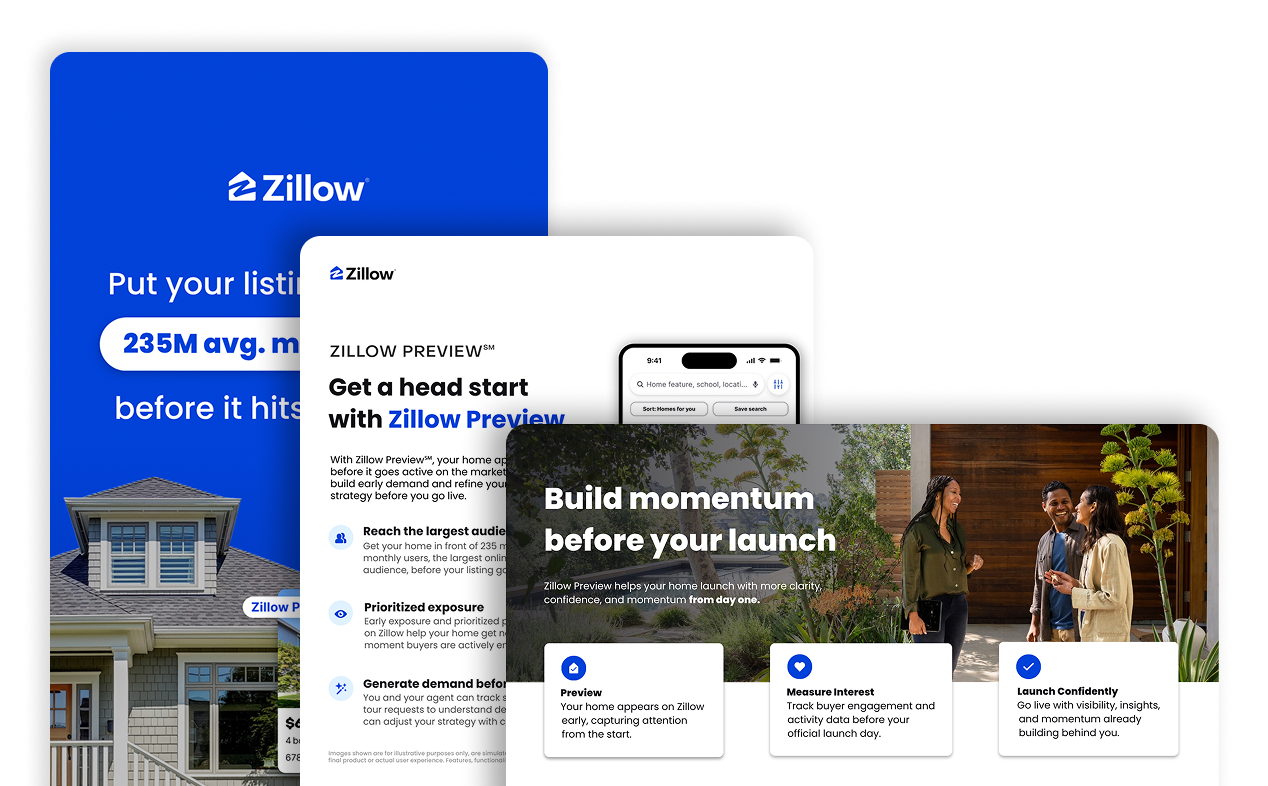
Access onboarding guides, listing setup tutorials, seller-facing materials, and best practices designed to help you get listings in front of millions of Zillow buyers earlier and build momentum before launch.
Why Zillow Preview matters
Help your agents win more listings, generate early demand, and strengthen their value to sellers.
Win more listings by maximizing exposure
Zillow Preview helps your agents offer sellers something powerful and simple: early, public visibility on Zillow, Trulia, and Realtor.com

Turn early buyer interest into additional earning potential
If a qualified Zillow Preview connection closes through one of Zillow's Preferred agent partners, the listing agent may receive a share of the revenue Zillow earns, paid through their brokerage.
Steps to create and manage your Zillow Preview listing
1
Before you publish
- Verify your account in Zillow Pro and link your MLS
- Check your local MLS rules and know how early you can publicly market a listing before it must go active in your MLS.
- Ensure your seller receives the seller disclosure form.
2
Create the Zillow Preview listing
In Zillow Pro, create the listing, submit it as a Zillow Preview listing, and notify the seller when it is live.
Required information:
- At least one photo + key property details
- Price, description, status + important dates
- Tax + HOA info, if applicable
- Agent license + brokerage details
- Showing instructions
3
Manage during Preview
- You can edit listing details and price in Zillow Pro during the Preview period.
- Once the listing is entered into the MLS and active, make updates through the MLS as usual.
- Tour requests can be scheduled in advance for on or after the listing’s go-live date, depending on seller strategy and local MLS rules.
4
Monitor early interest
In Zillow Pro, view and export performance insights like views, saves, and shares so you can share insights with the seller.
Marketing for your business
Access customizable, co-branded assets designed to help you market listings and support seller conversations.

Zillow Preview Video Hub
Watch, learn, and get more from Zillow Preview.
Explore tutorials, product guidance, and more to help you confidently use Zillow Preview.
Agent voices
Mike Sadikian
Hear how Zillow Preview helps build buzz and elevate marketing strategy
Watch the video
Full tutorial
How to get started with Zillow Preview
Watch the video
Confirming your account
Learn how to confirm your Zillow Pro account
Watch the video
Confirm your MLS
Learn how to confirm MLS eligibility and ensure your Zillow Preview listing is properly connected before launch.
Watch the video
Create a listing in minutes
Learn how to create and publish a Zillow Preview listing in minutes, including key setup steps and best practices for maximizing visibility.
Watch the video
Zillow Preview vs. Coming Soon: What’s the Difference?
Learn the difference between Zillow Preview and Coming Soon listings, and see where each fits in your listing strategy with this quick overview.
Watch the video
Zillow Preview Getting Started Guide
Best practices for positioning pre-market listings
Learn how to maximize visibility, build buyer interest before launch, and help sellers understand the value of Zillow Preview.
Read the guide
Zillow Academy Course
Turn Zillow Preview leads into opportunities with ALM
Learn a simple, effective approach for handling Zillow Preview inquiries and turning early buyer interest into stronger client conversations.
Start Course
Featured articles
Explore the latest Zillow Preview announcements, partnerships, and industry updates.
Zillow continues turning on the lights: Introducing Zillow Preview
Zillow Preview expands opportunity across the housing ecosystem without restricting access or fragmenting the marketplace.
Read the article
Zillow Preview gains early momentum as brokerages embrace public pre-market listings
24 additional firms sign agreements, accelerating shift toward open, public pre-market listings on Zillow and Trulia
Read the article
As Zillow Preview℠ expands to Realtor.com®, agents are already seeing the impact
What broad visibility actually produces — and why it matters for buyers and sellers
Read the article
Zillow Preview is coming to RealScout, where buyers and agents shop together
Through this integration, sellers get more exposure, buyers get more lead time and agents get early signals on who's ready to move
Read the article
Support resources
Get help when you need it
Find answers to common questions, explore FAQs, and access support for managing Zillow Preview listings.
Zillow Preview FAQS
Does Zillow Preview violate local MLS rules?
No. Zillow Preview is structured to operate within local MLS frameworks. Brokers and agents are responsible for understanding and complying with their local rules.
If a local MLS does not permit public pre-marketing, agents should follow that policy and refrain from publishing a listing in Zillow Preview.
In markets where pre-marketing is permitted, Zillow Preview helps bring listings to a broader audience earlier.
Does Zillow Preview impact the role of the MLS?
No. MLSs remain central to how listings are shared and how the market functions.
Zillow Preview creates a public pre-market phase on Zillow and Trulia and helps generate early demand before listings go active.
How long can a listing stay in Zillow Preview?
There is no fixed default timeframe. The duration depends on the seller’s strategy, the agent’s marketing plan, and local MLS rules.
Agents and brokers are responsible for ensuring compliance with MLS requirements.
Is Zillow Preview private?
No. Listings are publicly visible on Zillow.
Can agents update or edit a Zillow Preview listing?
Yes. Agents can update and edit listings in Zillow Pro during the Preview period.
Once active in the MLS, updates should be made through the MLS as usual.
How do agents access and share metrics with sellers?
All engagement insights are available in Zillow Pro. Agents can export performance data as a PDF and share it directly with sellers.
Do Zillow Preview listings receive priority placement in search?
Listings receive a boost in visibility during the preview period, helping more shoppers discover them early. Placement at the top of search is not guaranteed, as ranking still depends on multiple factors.
Can a Zillow Preview listing be upgraded to Zillow Showcase?
Yes. Zillow Preview is for pre-market exposure, while Zillow Showcase is for active listings.
Once active, agents can upgrade regardless of how listing media was created or uploaded.
Seller Frequently asked questions
Zillow Preview: What Sellers Should Know
Frequently asked questions for sellers about how Zillow Preview works.
Contact Information
- Monday – Friday: 8:00 AM - 9:00 PM EST
- Saturday – Sunday: 9:00 AM - 6:00 PM EST